
Description
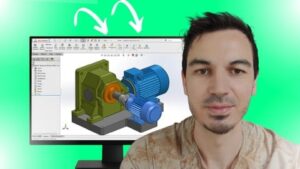
Master SOLIDWORKS FEA Static Simulation From Zero, And Become Fully Prepared for the CSWSA-FEA Certification ExamMost students fail SOLIDWORKS Simulation for one of these reasons:They don’t understand the “designer mindset” needed for analysisThey don’t know how to properly prepare a model before running a studyThey get overwhelmed by fixtures, loads, meshing, and result interpretationThey can’t find real exam-style practice, so they panic when the CSWSA-FEA exam startsIf you want to walk into the CSWSA-FEA exam calm, confident, and 100% prepared, this course will guide you step-by-step, even if you’ve never touched Simulation before.You’ll learn everything through clear explanations, real examples, and complete exam-style workflows so you can pass the CSWSA-FEA with time to spare.What You’ll Learn Inside the Course:1. Complete Static Simulation Workflow• preparing your model for analysis• applying fixtures and loads correctly• creating accurate meshes• running studies without errors• analyzing stress, strain, displacement, and failure risks2. Advanced Meshing & Result Interpretation• creating custom meshes• running multiple studies• extracting stresses at specific points• creating XY plots and detailed reports• modifying geometry based on results3. Symmetry Analysis (Planar + Circular)You’ll learn powerful techniques that save enormous time and computing resources — crucial for exam success.4. Shell Body Analysis• difference between surface-based shells and sheet-metal shells• when and why each method is used5. Frame Body Analysis (Truss & Beam)You’ll learn:• how frames behave in FEA• how trusses differ from beams• how to correctly set up each type in Simulation• how to interpret results the way the exam expects6. Full CSWSA-FEA Exam Preparation• real practice• required skills• common mistakes• exam-style questions• “secret exam tricks” that boost your scoreBy the End of This Course, You Will:• fully understand how SOLIDWORKS Simulation works• run accurate static analysis studies with confidence• think like an analyst, not just a modeler• be completely ready for the CSWSA-FEA exam• list SOLIDWORKS FEA confidently on your résumé• qualify for higher-paid design/engineering roles• start your Simulation/FEA career• negotiate a better salary because you can prove your skillsWhy Learn From Me?• Master’s Degree in Mechanical Engineering• SOLIDWORKS Certified Professional (CSWP)• 5+ years industry experience using SOLIDWORKS, CATIA & AutoCAD to design industrial machines• 48,000+ students in my engineering courses• Average instructor rating: 4.5 / 5I teach FEA the way real engineers use it in real companies.What Students Are Saying:★★★★★ “Very good course, I learned and enjoyed lot, now I am able to work on static analysis. Thank you!” – Sandeep★★★★★ “Many thanks. I had no previous experience in SW, just basic knowledge, which I was able to get browsing online. I really needed a well-structured course. The course guided me through model setup, key parameters, and simulations with clarity.” – Lello★★★★★ “It’s my first time looking into finite element analysis, and I can say I’m impressed. Kudos!” – OluwasegunBONUS:Enroll today and get lifetime personal support for all your Simulation questions.30-DAY MONEY-BACK GUARANTEETry the entire course risk-free.If you don’t see real progress, Udemy will refund you instantly.You have nothing to lose, and a complete FEA skillset to gain.Click ‘Add to Cart’ and start mastering SOLIDWORKS FEA today.



Reviews
There are no reviews yet.